01
Catalogue browsing
A simpler way to find and look up your company's products.
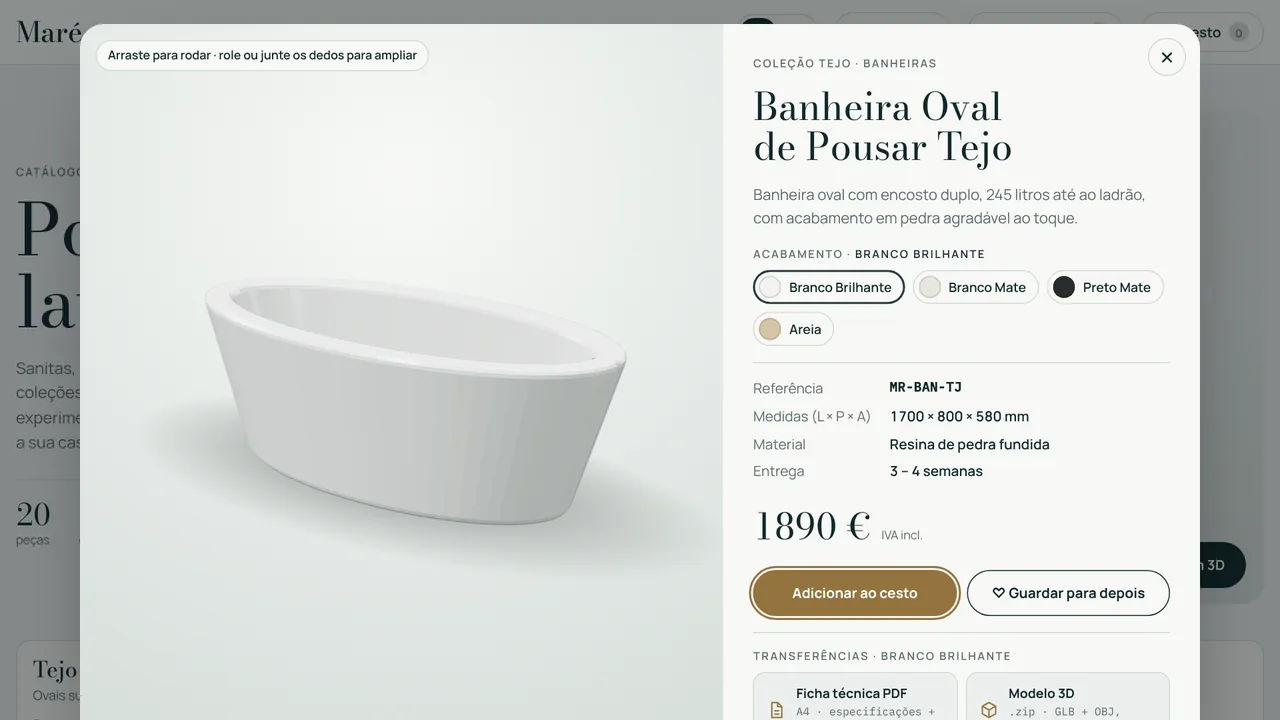
Examplefilters by collection, finish and price, as in the 3D Catalogue.
For manufacturers, suppliers and brands
An application to browse products, configure options and prepare quotes. On the web and in Revit, built around your catalogue.
WHAT WE CAN BUILD
A catalogue can be a working tool for customers, designers and sales teams. We bring browsing, configuration and quoting into one experience.
A simpler way to find and look up your company's products.
Examplefilters by collection, finish and price, as in the 3D Catalogue.
Options, sizes and variants organised by the rules of your range.
Examplechoosing a finish and watching the 3D model change.
Building a quote from the selected products and configurations.
Examplea PDF quote from the selection, as in Tile Budgeter.
Organising the catalogue and defining the features available on the web and in Revit.
Examplethe same catalogue on your website and in the Revit library.
TOOLS TO TRY
The 3D Catalogue shows the web experience, Family Library the Revit side and Tile Budgeter the quoting. All with sample data.
 FILTER → VIEW IN 3D → DOWNLOAD
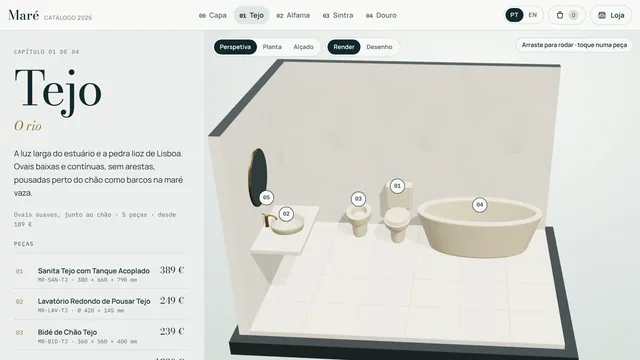
A manufacturer catalogue in two modes: the shop, with filters, finishes, 3D view and downloads, and the catalogue, with each collection set in a bathroom in perspective, plan and elevation.
Try the 3D CatalogueFictional brand, products and prices. A demo of a custom catalogue.Browse your company's family library with previews, search and filters. Load and place without opening each .rfa.
Learn more and downloadVersion 1.0.0 · Runs on your computer, sends no data.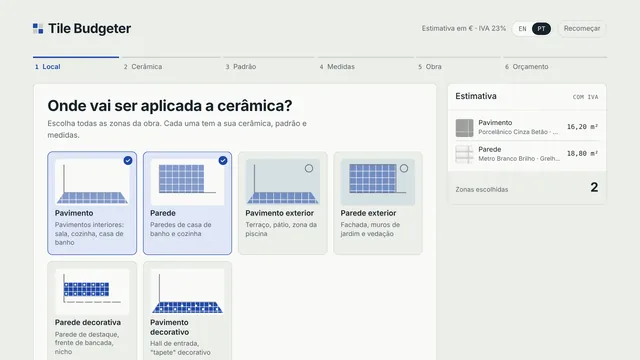 CHOOSE → CONFIGURE → QUOTE
Choose tiles, set the areas and explore an estimate for materials and labour. Export the result as a PDF.
Try Tile BudgeterSample products and prices. The estimate is not a commercial offer.HOW WE WORK
We identify the products, variants and pricing rules.
We agree the journeys and features each user needs.
We configure and validate the solution with examples from your catalogue.
Yes, the solution is used on the web and in Revit. The scope and features of each are defined for your company's implementation.
That is the goal. We start by reviewing your product information, variants and catalogue rules.
No. The 3D Catalogue and Tile Budgeter use a fictional brand, products and prices to show the journey. They are not a quote. Your company's application uses your products and your rules.
LET'S TALK ABOUT YOUR PROJECT
Tell us what you need. We look at the context and agree the next step with you.
geral@nortecad.pt +351 938 853 074Call to a Portuguese mobile number