WORKING EXAMPLES · NORTECAD

Less theory.
Try it.

Tools that turn a task into a simpler process. Open one, configure it and see the result.

No sign-up · In your browser and in Revit · English and Portuguese

TOOLS TO TRY

Pick a tool.
Start experimenting.

Explore the example. A solution for your company can use your own products, data and rules.

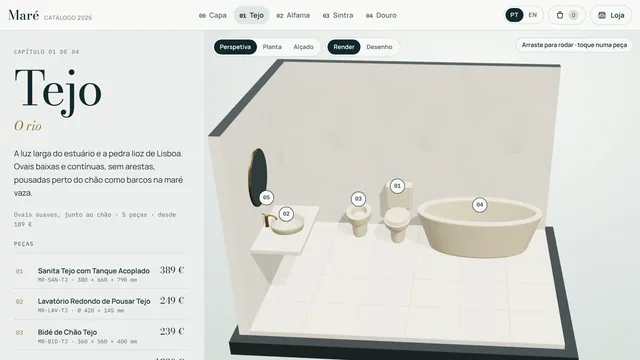
Screenshot: 3D CatalogueFILTER → VIEW IN 3D → DOWNLOAD
In your browser · Product catalogue

3D Catalogue

A manufacturer catalogue in two modes: the shop, with filters, finishes, 3D view and downloads, and the catalogue, with each collection set in a bathroom in perspective, plan and elevation.

  • 3D view
  • Plan and elevation
  • PDF data sheet
  • GLB/OBJ model
Try the 3D CatalogueFictional brand, products and prices. A demo of a custom catalogue.
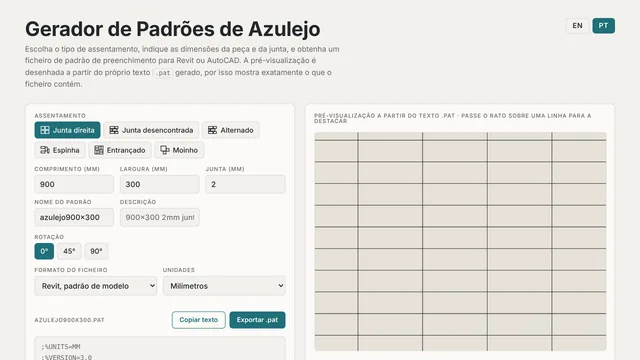
Screenshot: Tile Hatch BuilderTILE + JOINT → .PAT
In your browser · Patterns for Revit & AutoCAD

Tile Hatch Builder

Choose the laying pattern, set the tile and joint sizes and download the .pat file. See the result as you go.

  • 6 laying patterns
  • Live preview
  • .pat export
Try Tile Hatch BuilderFiles generated in your browser. No extension to install.
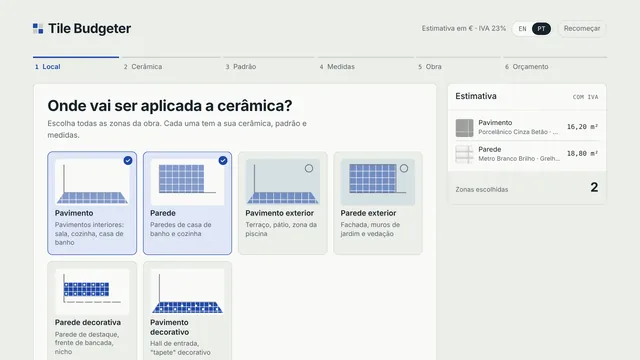
Screenshot: Tile BudgeterCHOOSE → CONFIGURE → QUOTE
In your browser · Configuration & quoting

Tile Budgeter

Choose tiles, set the areas and explore an estimate for materials and labour. Export the result as a PDF.

  • Product selection
  • Quantities
  • PDF quote
Try Tile BudgeterSample products and prices. The estimate is not a commercial offer.

What if it were built
for your company?

Talk to us about a tool